New Redesigned for the living room
A brand-new big-screen interface
Posters got bigger, rows got wider, and every provider now sits in one tab bar up top, all steered with the D-pad. No more hunting through menus.
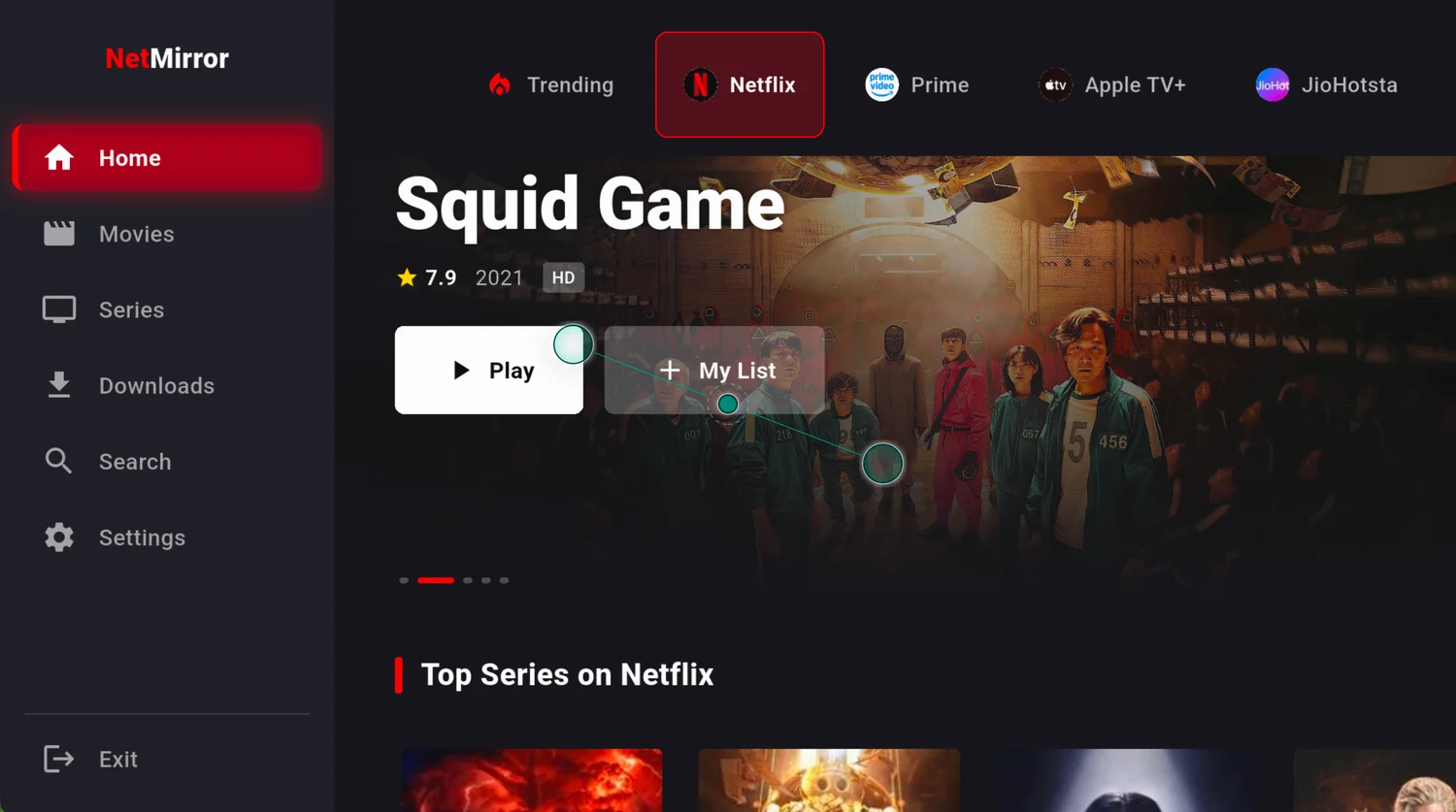
Bring all eight streaming services straight to your big screen with NetMirror, a remote-friendly app built for Android TV, Google TV and Amazon Fire Stick. Completely free, no subscription, no ads.
The basics
The big-screen version of NetMirror, built for Android TV, Google TV and Amazon Fire Stick, and driven entirely by your remote.
NetMirror for TV is the very same app you would run on your phone, but completely redesigned for the living room. You get that full eight-service library, Netflix, Prime Video, JioHotstar, Apple TV+, Sony LIV, Zee5, MX Player and Crunchyroll, laid out perfectly for a TV: big posters, wide rows and a D-pad-friendly interface you steer with the remote.
Now, because it bundles several streaming services, you will not find it on the Play Store or the Amazon App Store. But do not worry, it is super simple. On a Fire TV Stick you install it in just a couple of minutes with the free Downloader app, and on Android TV or Google TV you sideload the same TV APK. It works on every Fire TV Stick from Gen 2 onward, the Fire TV Cube, Fire TV Omni, and most Android TV and Google TV sets.
And here is what you will love: it is completely free, runs without a single ad, and streams up to 4K where the source allows. Everything works right from your remote, D-pad navigation, on-screen search and a big-screen player, so you never need your phone to browse or play.
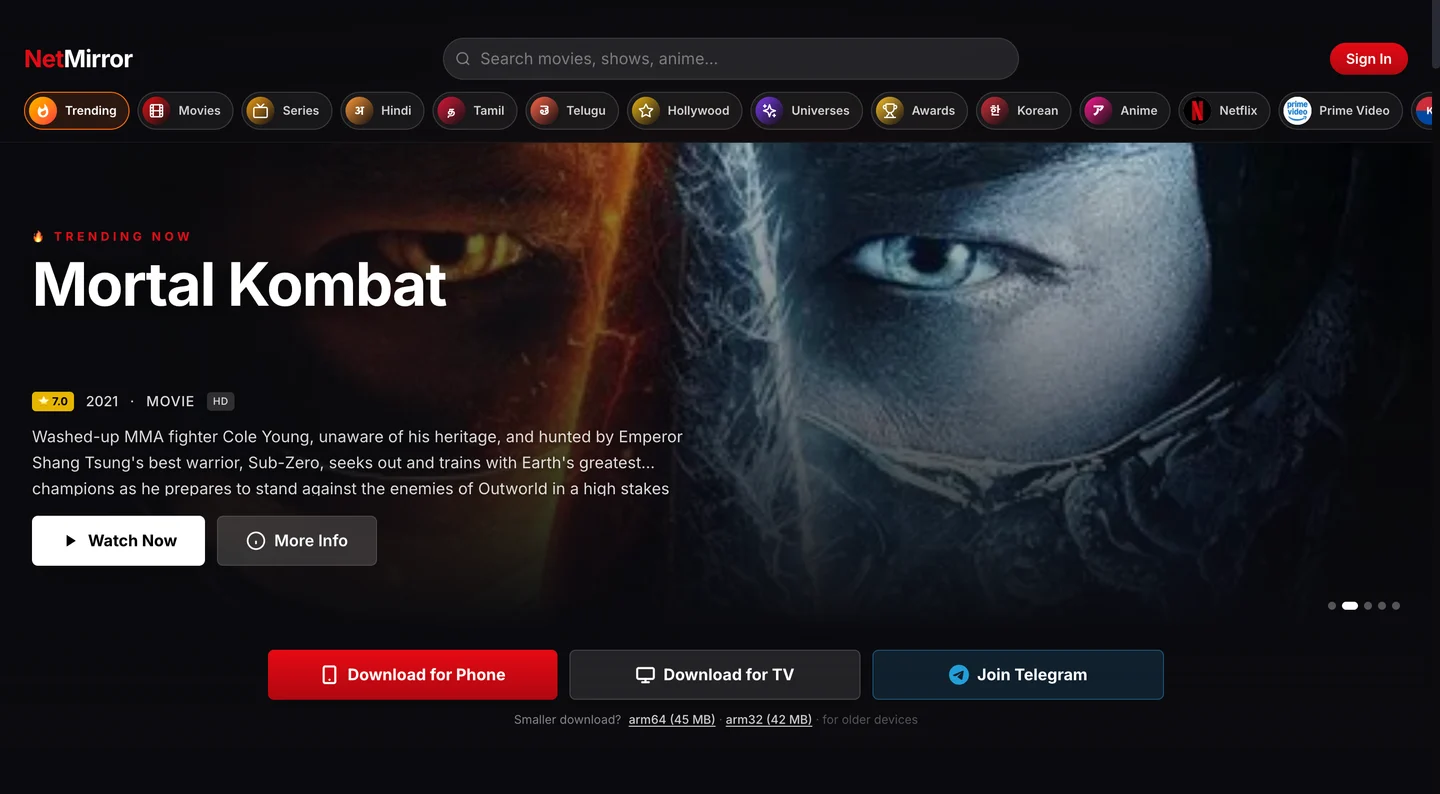
Also use a phone? The same library is in the Android app and in any browser at net27.cc.
The TV build just had its biggest jump yet, a fresh living-room interface, every streaming service on the home screen, a player tuned for 4K and surround audio, and a new Beta Server 2 for the titles Server 1 can't reach.
Posters got bigger, rows got wider, and every provider now sits in one tab bar up top, all steered with the D-pad. No more hunting through menus.
Earlier the TV build only carried Netflix and Prime Video. Now all eight services, Apple TV+, JioHotstar, Sony LIV, Zee5, MX Player and Crunchyroll too, live on the home screen.
Subtitles are built in, with a subtitle-size and style setting so the text stays readable from across the room.
Stream up to 4K where the source allows, with a quality picker right inside the player for slower connections.
Richer, room-filling sound through your TV or soundbar, plus a preferred-audio track picker for multi-language titles.
Save movies and episodes straight to the device from the new Downloads tab and play them back later without a connection.
When a title won't play on Server 1, open its Watch screen and switch to Beta Server 2, an alternate source that unlocks many movies and shows that wouldn't play before. It's experimental, so it keeps improving.
Feature highlights
Here is everything the living-room build does so well, from eight streaming libraries in one place to a player you can drive end-to-end with just your remote.
Netflix, Prime Video, JioHotstar, Apple TV+, Sony LIV, Zee5, MX Player and Crunchyroll, every library lined up on a single home screen.
D-pad navigation across every screen, OK to play, left and right to jump 10 seconds, up to reveal the controls. No phone or mouse needed.
A crisp big-screen picture wherever the source allows, with a quality picker built right into the player for slower connections.
Built-in subtitles with an adjustable size and style, so the text stays easy to read from across the room.
Switch between original and dubbed audio tracks on supported titles, set from the player or your default preference.
Save movies and episodes to the device from the Downloads tab and play them back later with no internet connection.
An on-screen keyboard finds movies, series and anime across all eight platforms at once, no switching apps to look something up.
Dedicated tabs and tidy rows, Trending, Popular, Top Rated and New Releases, so there is always something ready to play.
Mark the intro and outro to skip ahead in a tap, or shrink playback into a corner while you browse for what is next.
The entire library streams free, no subscription, no account and no ads interrupting your show.
A second source you switch to from a title's Watch screen when Server 1 comes up short, with more content, extra audio tracks and wider subtitles.
Screenshots
From browsing to playback, take a look at how NetMirror looks on your big screen, with every single screen built to be driven by your remote.
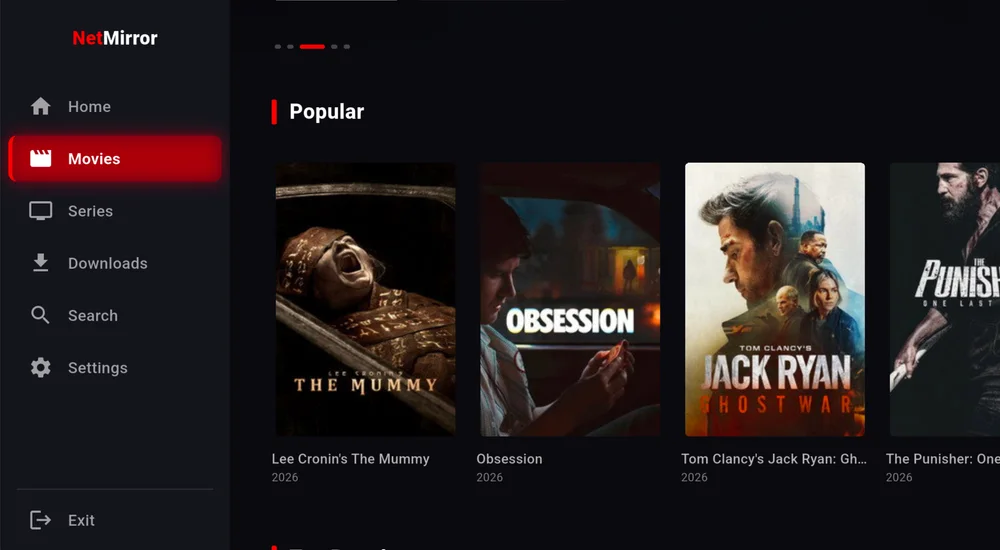
Popular, Top Rated and New Releases laid out in tidy rows for every service.
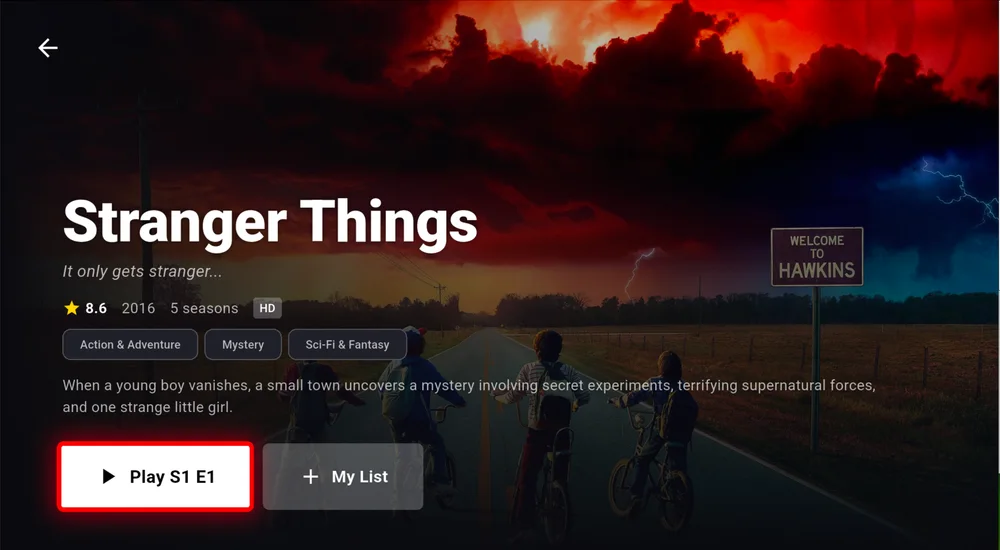
Rating, year, seasons, genres, a synopsis and the episode list, then press Play.
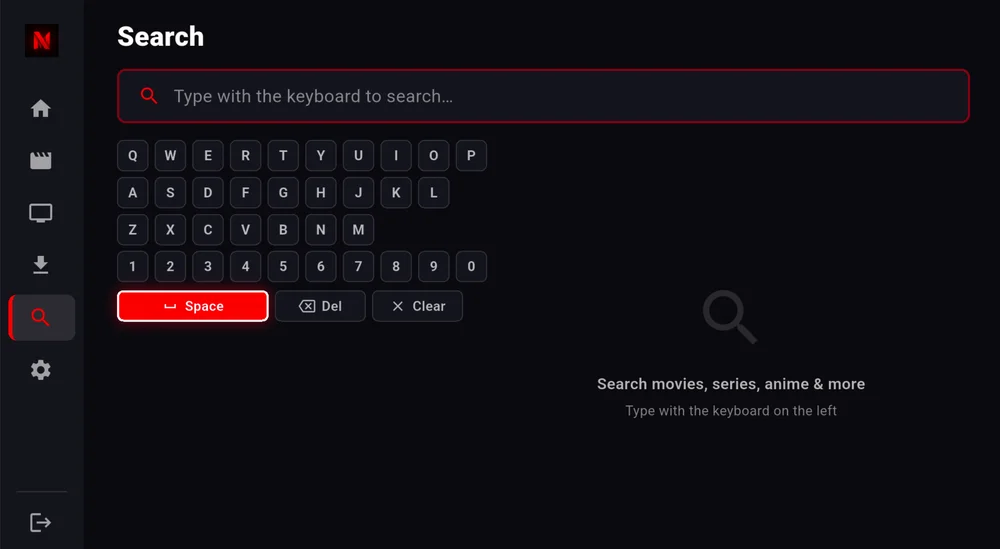
An on-screen keyboard finds movies, series and anime everywhere at once.
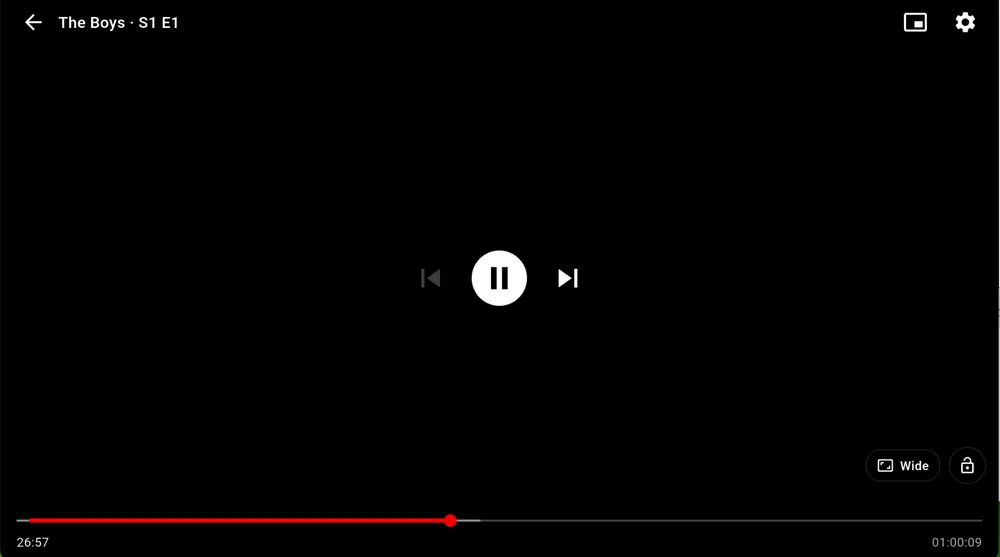
Clean playback with play/pause, 10-second skips and a Wide aspect toggle.
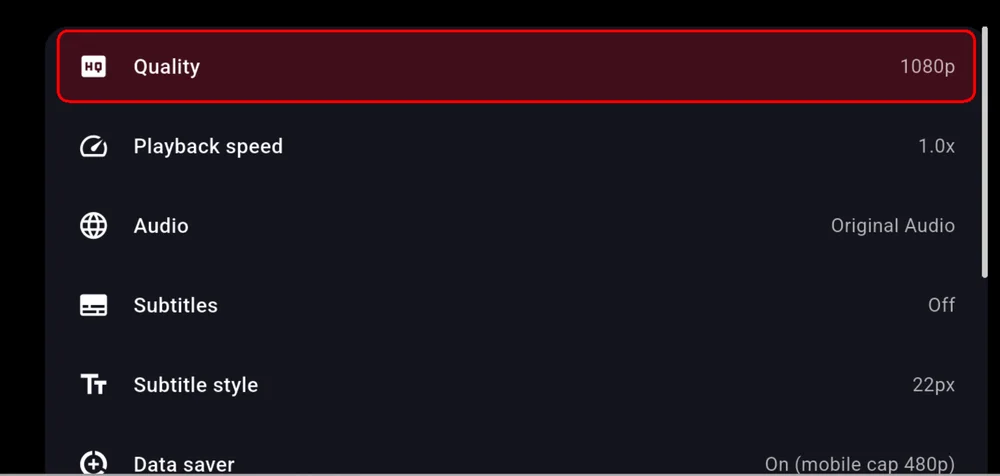
Tune streaming quality, switch audio tracks and turn captions on, right in the player.
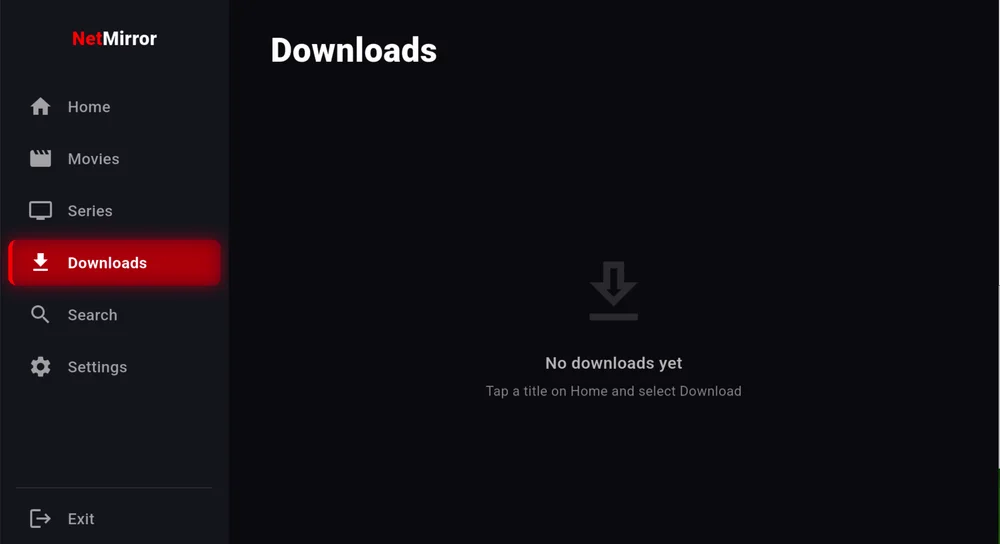
Save titles to the device and watch them later with no connection.
Download
Here is the latest NetMirror TV build, the same APK runs on Android TV, Google TV and Amazon Fire TV. Check the details, then grab it from the button.
v2.0.8 · Android TV · Google TV · Fire TV
On a Fire TV Stick, install it in minutes with the free Downloader app. On Android TV / Google TV, sideload the same APK.
Installs from outside the Play Store and the Amazon Appstore, so you may need to allow apps from “unknown sources” once.
Install guide
Since it bundles several services, NetMirror is not on the Play Store or the Amazon Appstore, so you install it yourself. Don't worry, it is easy. Just pick the path for your device, and either one takes only a few minutes.
Download TV APKUsing the free Downloader app
Open Settings → My Fire TV → Developer options and switch on “Install unknown apps” for Downloader. If you don’t see Developer options, open About and click your device name seven times to unlock it.
From the Fire TV home screen, search for “Downloader” and install the free app by AFTVnews.
Open Downloader, select the URL box, type the NetMirror TV APK link from the Download button above, and press Go.
When the download finishes, choose Install, then Open. Delete the setup file when asked, to free up space.
Sideload the same APK
Go to Settings → System → Security & restrictions → Unknown sources and enable your browser or file-manager app.
Install the Downloader app (or use a browser) and grab the NetMirror TV APK from the button above. You can also copy it across on a USB drive.
Open a file-manager app, find the downloaded NetMirror APK, and select it.
Confirm Install, then find NetMirror in your apps row and open it.
Updating later is easy. Just download the newest APK and install it over the top, your downloads, watchlist and settings all stay put.
Troubleshooting
Most big-screen hiccups clear in under a minute. Here are the ones Fire TV and Android TV users run into most, with the quick fix for each.
Fix, Make sure “Install unknown apps” is on for Downloader, free up a little storage, and remove any older NetMirror first. If the file looks incomplete, download it again.
Fix, Check your internet speed, then open the player’s settings and drop Quality from Auto to 720p. Restart the app or the device if a stream stays stuck.
Fix, NetMirror is built for the D-pad, use the directional ring to move and OK to select. If nothing responds, restart the app and re-pair or re-battery the remote.
Fix, Open the player’s Audio setting and pick another track, some titles only carry the original audio. Also check your TV or soundbar isn’t muted or on the wrong input.
Fix, Force-close it from the recent-apps view, restart your Fire TV or Android TV, and reinstall the latest APK. Make sure the device software is up to date.
Fix, Check you have enough storage and a stable connection. Downloads usually resume after a pause; if one is wedged, cancel it and start again.
FAQ
Quick answers to the things people ask most about NetMirror on Fire Stick, Android TV and Google TV.
Yes, 100% free! There is no subscription, no account and no in-app purchases, and absolutely no ads anywhere in the app.
Yes! It runs on every Fire TV Stick from the 2nd generation onward, plus the Fire TV Cube and Fire TV (Omni) smart TVs. You install it in just a couple of minutes with the free Downloader app.
Yes. Just sideload the same TV APK on most Android TV and Google TV sets and you get the identical big-screen, remote-friendly interface.
Because a single app that bundles eight streaming services simply cannot be listed there. That is why it is shared as an APK you install yourself, a quick, one-time step.
All eight on one home screen: Netflix, Prime Video, JioHotstar, Apple TV+, Sony LIV, Zee5, MX Player and Crunchyroll.
Yes! The Downloads tab saves movies and full seasons right to your device, so you can play them back later with no internet connection.
It streams up to 4K where the source allows, with a handy quality picker in the player, plus switchable audio tracks and built-in subtitles you can resize.
Just the remote! Everything is D-pad friendly, arrows to navigate, OK to play, and an on-screen keyboard to search. Your phone is never required.
Simply download the newest APK and install it right over the existing one, your downloads and settings stay put. You can also open Settings → Check for updates inside the app.
The bottom line
In conclusion, NetMirror brings all eight streaming services straight to your Android TV, Google TV and Fire Stick, a remote-friendly app with up to 4K, captions, multi-language audio and offline downloads. No subscription, no account, no ads. Just install the TV APK in a couple of minutes and start watching from the comfort of your couch. We highly recommend it!
Free · ~52 MB · Works on Fire TV Stick, Android TV & Google TV · Also on the phone app.